A business assistant cannot answer an order-status question reliably if it cannot reach the order system. Model Context Protocol, or MCP, provides a standard way for AI applications to connect to external tools and information. The July 2026 documentation describes an ecosystem of clients and servers that can expose capabilities through a common interface.
For a company with a CRM, a service platform, and internal reporting, the appeal is a consistent integration boundary. An assistant can request a defined capability instead of being given unrestricted database access. MCP does not replace the underlying application or make its data correct. Existing business rules, identity checks, and service reliability still determine what the assistant can safely accomplish.
Consider an illustrative customer-support workflow. A read-only tool could return an order’s current status, while another returns the relevant support policy. The assistant can use those results to prepare a response. Changing an address or issuing a refund should be separate capabilities with their own validation and approval requirements, rather than hidden side effects of a general-purpose tool.
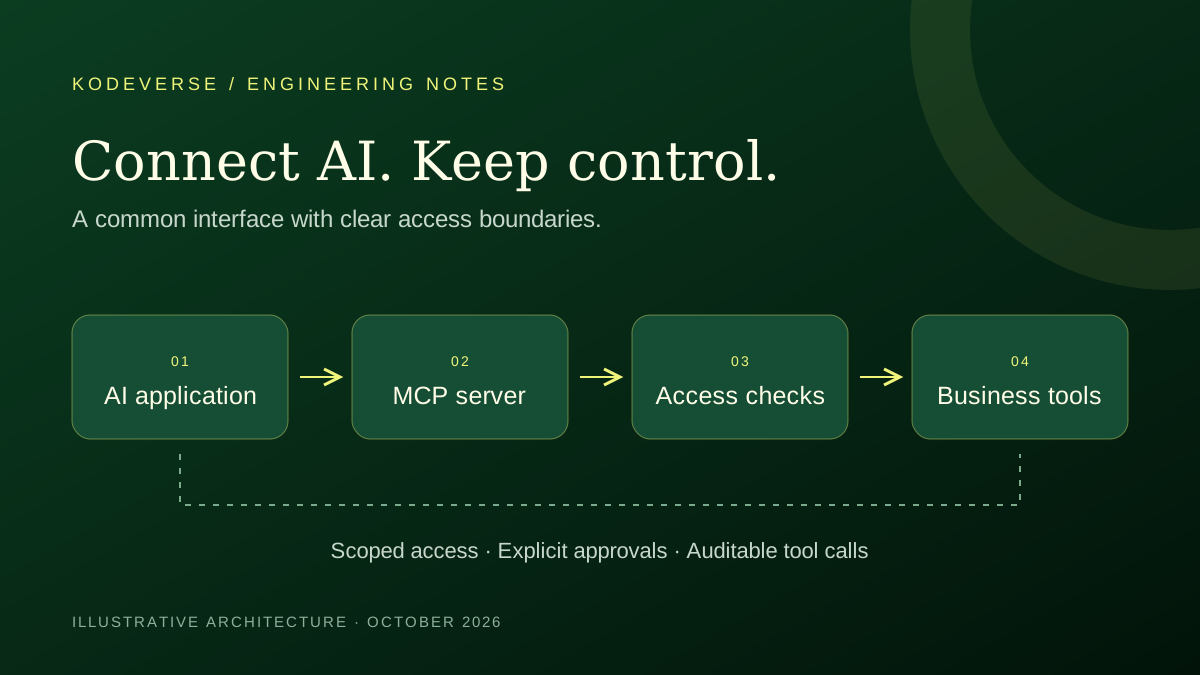
Treat authorization as an application responsibility. The MCP security guidance addresses risks such as token passthrough and confused-deputy behaviour. Validate that credentials are intended for the receiving service, preserve the user’s access boundaries, and never assume that a successful connection grants permission to every record. A support assistant should see only the customer information its current user is allowed to access.
External content can contain instructions that conflict with the user’s task. A retrieved ticket, document, or tool response should be treated as data rather than authority to change access rules. Keep sensitive operations behind explicit checks and show a person the proposed business action before approval. The model’s willingness to act is not an authorization decision.
Tool design also affects day-to-day usability. For our example, a precise order-status tool is easier to understand than an endpoint that accepts arbitrary queries. Return structured results with clear states for missing records, expired access, and temporary failures. Avoid returning a complete customer history when the task only requires a delivery status. This keeps the integration easier to inspect and the assistant’s context more focused.
A sensible first integration is a small, read-only workflow with known users and an accountable owner. Test access boundaries, failure responses, and the usefulness of the returned information before adding write operations. For a project brief, list the systems to connect, the exact actions required, and the actions that must remain under human control. That creates a concrete foundation for estimating the work and deciding whether MCP is appropriate.